Project Kickoff Meeting: A One-Page Agenda for Client Work
Project kickoff meeting agenda: use one page to agree on goals, scope, roles, timing, open questions, decisions, and the actions that leave with an owner.
By Professional Business Bundle by Cosmo Suite · Editorial policy
Published · 9 min read
Project kickoff meeting is the PMI term for the first gathering where a project team and key stakeholders set expectations, build a shared understanding, and begin work. For a client project, use one page to settle how the two sides will work together before delivery starts. Record the goal, what is included, who decides, the key dates, and what happens next. The PMI Lexicon defines the term in those same basic terms.
For a solo consultant or small team, this does not need a deck or a long list of attendees. The project manager template for keeping work and dates together can hold the plan after the meeting. Start with the agenda below, then keep the meeting focused on decisions that affect the work.
Key takeaway: Leave with a shared goal, clear scope, named decision makers, and actions that have owners and dates.
Project Kickoff Meeting at a Glance
| Agenda stage | Question to settle | What to record |
|---|---|---|
| Goal | What result is the client buying? | One sentence describing the intended outcome |
| Scope | What will be delivered, and what is excluded? | Deliverables and boundaries |
| People | Who does the work, gives input, and approves it? | Names and responsibilities |
| Timing | What are the review points and target dates? | Milestones, dependencies, and approval windows |
| Working method | Where will updates go, and when should people reply? | Channel, update rhythm, and review process |
| Open items | What is still unknown or at risk? | Question, owner, and date to resolve |
| Next actions | What must happen first? | Action, one owner, due date, and dependency |
That is enough structure for a useful client kickoff agenda. The Digital Project Manager's 2026 guide also centers the meeting on goals, scope, timeline, responsibilities, communication, and next steps. Keep the agenda as a working note. Store the approved scope and full project plan in their own documents.
What should you prepare before the project kickoff meeting?
Prepare the brief, the proposed deliverables, the decisions that remain open, and a draft of the first milestones. A kickoff is easier when people can react to concrete items instead of trying to invent the project during the call.
Before you invite the client, gather:
- The agreed brief: Bring the problem, intended result, and any approved scope or statement of work. If the scope is not settled, mark that as an open decision.
- Deliverables and exclusions: Write down what the client expects to receive and what is outside this project. Put unclear requests on the question list.
- People and decisions: Identify who will do the work, who supplies information, and who can approve a draft. Ask whether the person in the meeting can make the decisions the project needs.
- Draft dates: Bring likely milestones and review windows. Label them as proposed until the client confirms the input and approval dates they depend on.
- Questions and risks: List missing materials, access, content, or decisions that could change the schedule. A short question list is more useful than hiding uncertainty in a polished timeline.
The Digital Project Manager recommends reviewing the brief, identifying attendees, and sharing the agenda and relevant materials before the meeting. Asana's project kickoff guide likewise advises preparing the agenda and project information in advance. For a small client job, send the basics ahead of time. Use the meeting to settle what is still unclear.
Keep the invite list tied to decisions and work. Include the client contact, the people doing the first deliverables, and anyone who must approve or supply a dependency. If someone only needs the outcome, send them the notes afterward.
What should you say in a project kickoff meeting?
Walk through the goal, deliverables, roles, dates, working method, and open questions in that order. Finish each topic by saying what has been agreed and what still needs a decision.
What result are we trying to produce?
Ask the client to describe the result in plain terms. Then agree how you will recognize that the work is complete. “Refresh the service page” describes an activity. “Publish an approved service page with the new offer, copy, and images” is closer to a result both sides can review.
This example is illustrative, not a report about a real client. “Design page” is too vague to hand off. Name the deliverable and who approves it.
What is included, and what is not?
Read through the deliverables and exclusions. Ask about requests that sound related but are not in the agreed work. If the client wants to add something, record it as a scope question and agree how you will price or schedule the change before treating it as an action.
Do not try to settle every detail of the work in the kickoff. Use the meeting to confirm the boundary and list what still needs an answer. Put detailed specifications in the project documents.
Who owns each decision?
Name the person who prepares, reviews, and approves each deliverable. One person may fill more than one role on a small project. What matters is that you know who can give a final answer and how long a review window should be.
If approval depends on another person, add that person or decision to the plan. A due date that ignores an approval step is only a guess.
How will updates and reviews work?
Agree where you will send updates, what a useful update contains, and how the client should return feedback. Set a response window that fits the work and both calendars. Keep the method practical: an email summary may be enough for a small job; a larger team may need a shared project app.
Asana's guide treats communication, roles, timelines, and next steps as kickoff topics. The tool you use can vary. The agreement about who needs to respond and where the decision is recorded should not.
What could hold up the first milestone?
Ask what materials, access, approvals, or decisions the first task depends on. Record the dependency next to the affected task. If the client needs to provide source copy before you can draft, the task should show that dependency rather than appearing ready to start.
How do you turn kickoff decisions into actions?
Write actions as a specific next step with one owner, a due date, and any input it depends on. Keep decisions separate from tasks: “Use the existing service copy” is a decision; “Client sends final service copy” is an action.
A useful action row has five fields:
| Field | Example |
|---|---|
| Action | Send the approved service descriptions |
| Owner | Client contact |
| Due date | Agreed date, copied from the meeting |
| Dependency | Needed before the first page draft |
| Status or note | Waiting for client copy |
This is the small part of the meeting that tends to get lost in prose notes. A note might say the client will send copy. The action row makes the owner and date easier to find. If the project has several stages, carry those decisions into a project plan that stays readable as dates move. A freelancer using several connected work views can also borrow the three-file setup for client work.
Do not assign an action to “the team” if one person can own the next step. If two people must contribute, name who coordinates it and note the second input. If no one can name an owner yet, keep it on the open-question list instead of pretending it is assigned.
What does a one-page client kickoff agenda look like?
A one-page agenda for a small project can fit the goal, scope, roles, review dates, communication agreement, and first actions. The sample below is illustrative. Its client, work, dates, and assignments are not a report of completed work.
Illustrative project: a small studio is preparing a new service page for a client.
| Time | Topic | Question | Record |
|---|---|---|---|
| 0-5 min | Goal | What should the new page help the client do? | One agreed outcome |
| 5-12 min | Deliverable and scope | Which page elements are included? What is excluded? | Deliverables and boundaries |
| 12-20 min | Inputs and roles | Who supplies copy, images, and approval? | Owners and required materials |
| 20-28 min | Review path | Who reviews the first draft, and how will feedback arrive? | Approver and review window |
| 28-35 min | Dates and dependencies | What must arrive before drafting and approval? | Milestones and dependencies |
| 35-40 min | Open questions | What remains unresolved? | Question, owner, resolve-by date |
| 40-45 min | Read back | Does everyone agree on the plan? | Decisions and first actions |
Methodology: this one-page sequence groups the goal, scope, roles, timing, and follow-up topics in the cited guides into decisions a client and a small delivery team can settle together. The times are an illustrative 45-minute allocation, not a measured average or a rule. If the goal, scope, or approvals need more discussion, give them more time or hold a separate planning session. The Digital Project Manager advises keeping a kickoff to a maximum of 90 minutes and leaving room for client questions. That is its recommendation, not a universal meeting standard.
In this illustrative example, the meeting could leave eight actions: client sends approved copy; client selects the page images; consultant confirms the draft outline; consultant prepares the first design; client names the final approver; consultant sends the review link; client returns consolidated feedback; consultant confirms the revised delivery date. Each would need an agreed owner and date before it became part of the working plan.
Use the count as a check: did the meeting leave work that someone can do next? Do not add tasks merely to reach eight. If three actions cover the agreed work, record three.
When should you use a project app instead of a file?
Use a project app when several people need to update the same work, clients need to log in, or reminders and automation are part of the process. A spreadsheet or note can work when one person maintains it and sends updates directly.
Choose the tool based on the work that follows the meeting. If a client has to approve work in a shared space or multiple team members change tasks, confirm that your system supports those needs before the project begins. If you are the only person updating a short task list, a file may be easier to keep current.
A file will not provide a client portal, live co-editing, or automatic reminders. Be clear about that before presenting a spreadsheet as the project's source of truth. For a broader view of what belongs in a project workbook, see the project manager template checklist.
Why Trust This Article
The Cosmo Suite team makes downloadable business planning files, so it has a commercial interest in spreadsheet workflows. This guide is a general agenda, not a claim that a file replaces project software. It uses the published guidance from The Digital Project Manager and Asana, checked on 19 October 2026. Read more about the publisher on the about page and in its editorial policy.
Where the Professional Business Bundle Fits
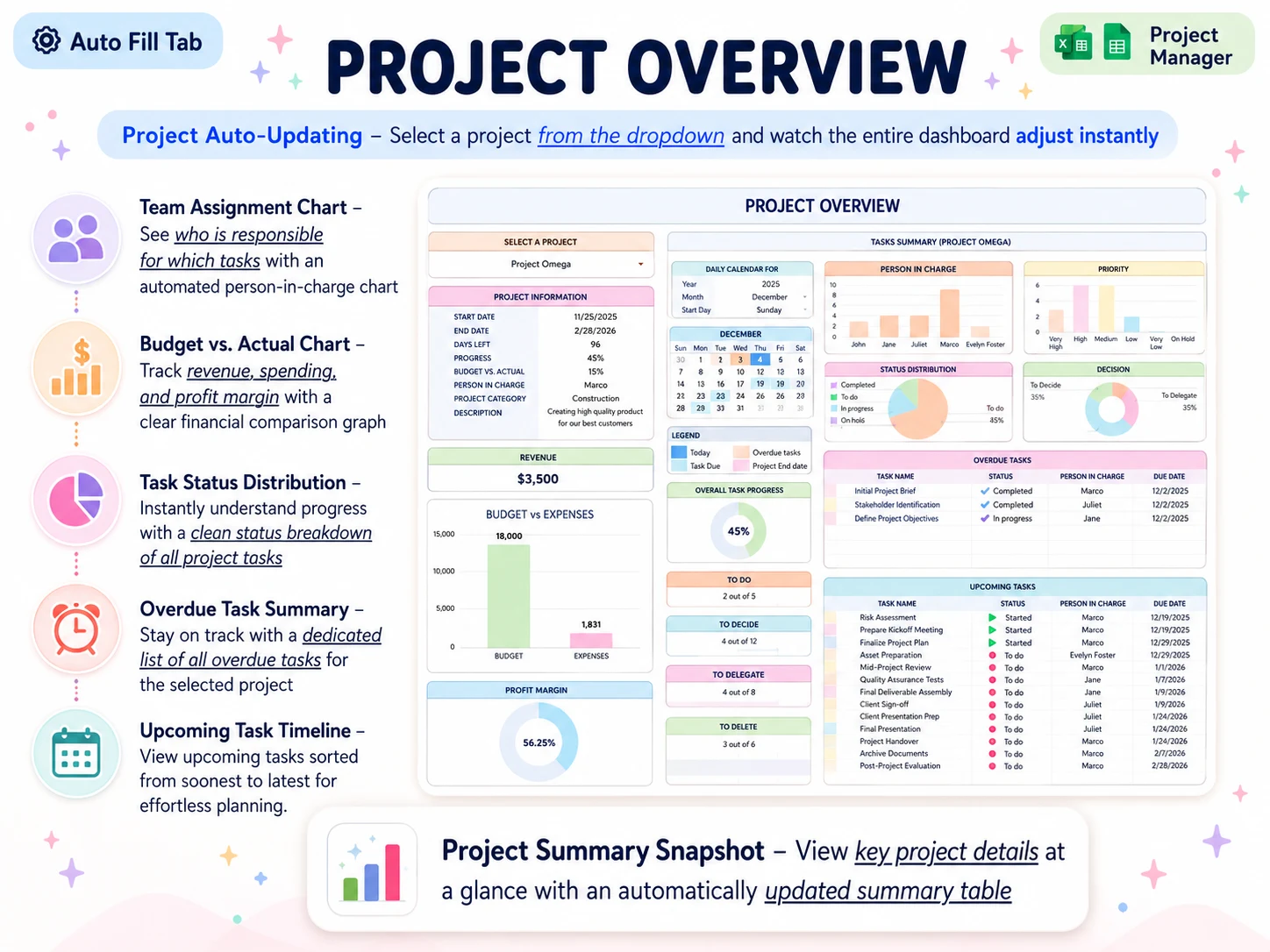
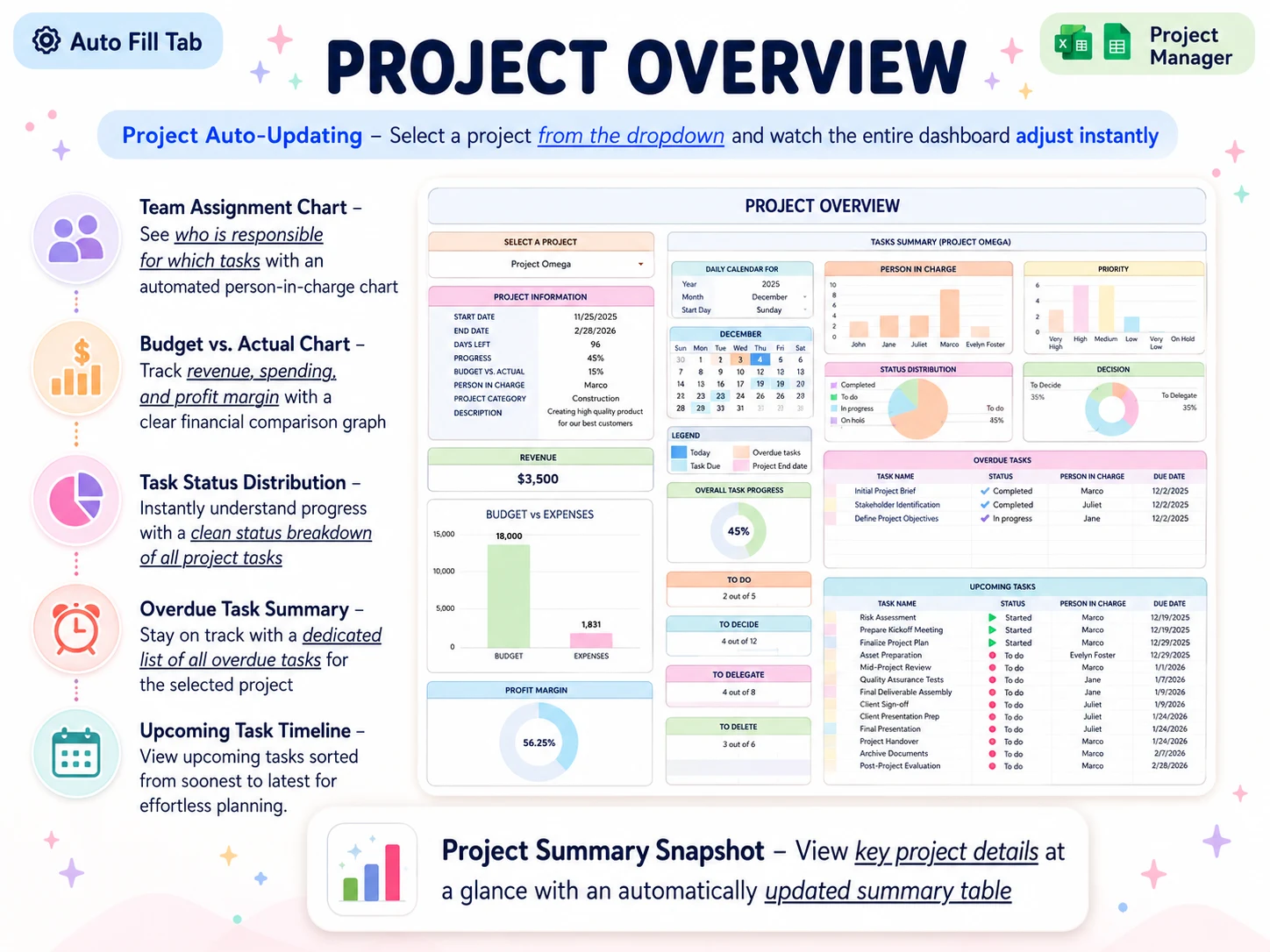
The Professional Business Bundle includes a Professional Planner for OneNote with meeting-notes templates, plus a Project Manager workbook with a project overview and task schedule. The product is a set of downloadable files. It does not provide shared live editing, a client login, or automatic reminders.
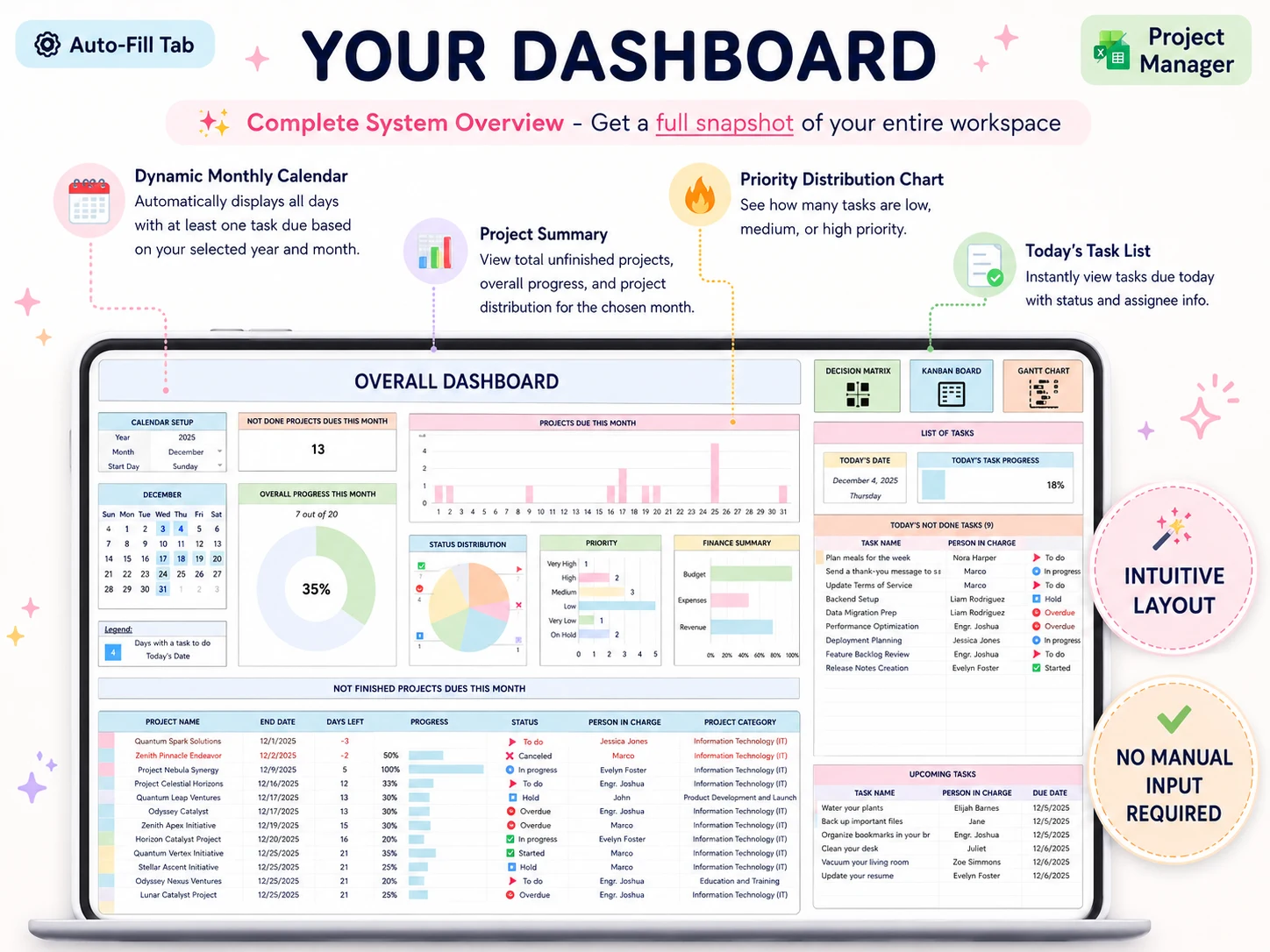
A OneNote page can hold the agenda, decisions, and follow-up notes. The action list still needs an owner and date in the place you use to manage project work. The bundle's Project Manager workbook and OneNote planner are one option if you want those planning files ready to use. The listed price is $9 once. Check the product page for current contents before buying.
The figures and names visible in these dashboard screenshots are sample content, not customer results.
Frequently asked questions
What do you say in a project kickoff meeting?
Start with the project goal and what success means. Confirm deliverables, what is outside scope, who approves the work, key dates, how you will communicate, and the next actions with owners.
What should be included in a kickoff meeting?
Include the goal, deliverables, scope boundaries, roles, approval steps, milestones, communication expectations, risks, open questions, and action items. The agenda should fit the project's size.
How long should a project kickoff meeting be?
Set the time from the decisions the group needs to make. A short client project may fit a focused 45-minute agenda. The Digital Project Manager advises keeping a kickoff to no more than 90 minutes; treat that as a guide, not a fixed rule.
Who should attend a project kickoff meeting?
Invite the people who will do the work, approve it, provide a required input, or make a project decision. Send a summary to others who only need to stay informed.
What happens after a project kickoff meeting?
Send the decisions, open questions, and action list to attendees. Put each action in the project plan or task register with one owner and a due date, then update the client on the next milestone.
What is the difference between a kickoff and a status meeting?
A kickoff aligns people on the goal, scope, roles, and way of working before delivery starts. A status meeting checks progress, decisions, and blockers after work is underway.
